Thumbium Review: The AI Thumbnail Creator That Helps You Get More Clicks, Views, and Subscribers
What Is Thumbium?
Thumbium is an AI-powered thumbnail creation platform designed to help YouTubers, content creators, marketers, streamers, and businesses create eye-catching thumbnails in just a few minutes. Instead of spending hours in Photoshop or paying expensive designers, Thumbium allows users to generate professional-looking thumbnails using simple text prompts and AI automation.
Your thumbnail is often the first thing viewers notice. Before they read your title or watch your video, they decide whether your thumbnail is worth clicking. Thumbium was built to help creators make that first impression count by creating thumbnails that grab attention and encourage more clicks.
Whether you publish YouTube videos, YouTube Shorts, tutorials, gaming videos, product reviews, podcasts, or business content, Thumbium makes thumbnail creation faster, easier, and more affordable.
Why Your Thumbnail Matters

Better Thumbnails Can Lead to More Views
Creating amazing videos is only part of the equation.
If nobody clicks your video, even the best content may never reach its full potential.
An effective thumbnail can help:
- Increase click-through rates
- Generate more views
- Attract new subscribers
- Improve audience engagement
- Make videos stand out in search results
- Build a recognizable brand
Thumbium focuses entirely on helping creators produce thumbnails designed to capture attention before viewers ever press play.
Create Professional Thumbnails From Simple Prompts
AI Does the Hard Work
One of Thumbium’s biggest advantages is how simple it is to use.
Instead of learning complicated design software, users simply describe what they want using plain English.
The AI then creates original thumbnails based on the description.
Examples include thumbnails for:
- Gaming videos
- Cooking channels
- Fitness content
- Cryptocurrency videos
- Finance channels
- Podcasts
- Product reviews
- Travel videos
- Technology channels
- Real estate content
- DIY tutorials
- Pet channels
- Lifestyle creators
- Beauty influencers
This makes Thumbium useful across virtually every YouTube niche.
Step-By-Step Thumbnail Creation
Build Thumbnails in Minutes
Thumbium keeps the design process simple.
Users can:
Choose a Video Format
Create thumbnails for:
- Standard YouTube videos (16:9)
- YouTube Shorts (9:16)
Add Images
Upload:
- Your own photo
- Product images
- Background photos
Or simply let the AI create everything automatically.
Describe Your Idea
Type a prompt explaining what you want.
The AI handles the rest.
Customize the Style
Choose from styles such as:
- Clickbait
- Clean
- Reaction
- Cartoon
- Anime
- Photorealistic
- 3D
- Auto mode
Generate Multiple Versions
Thumbium can create up to four different thumbnail variations at once, allowing users to compare options and choose the strongest design.
Edit Existing Thumbnails With AI
Change Almost Anything Using Text
After generating a thumbnail, users can make changes simply by describing what they want.
Examples include:
- Change the background
- Replace clothing
- Edit facial expressions
- Adjust lighting
- Change colors
- Add or remove objects
- Replace fonts
- Change the time of day
- Modify scenery
Instead of manually editing layers in Photoshop, users simply tell the AI what to update.
Get it HERE
Put Yourself Into Every Thumbnail
Upload Your Own Photo
One of Thumbium’s standout features allows creators to upload their own face or product photos.
The software automatically:
- Removes backgrounds
- Blends subjects naturally
- Places people into new environments
- Matches lighting and shadows
This allows creators to appear in:
- Exotic locations
- Gaming scenes
- Studio environments
- Product displays
- Fantasy backgrounds
without requiring green screens or advanced editing skills.
Great for Building a Personal Brand
Using your own face consistently across thumbnails helps build brand recognition and makes your channel instantly more recognizable to returning viewers.
Designed for Speed
Create Thumbnails in Minutes Instead of Hours
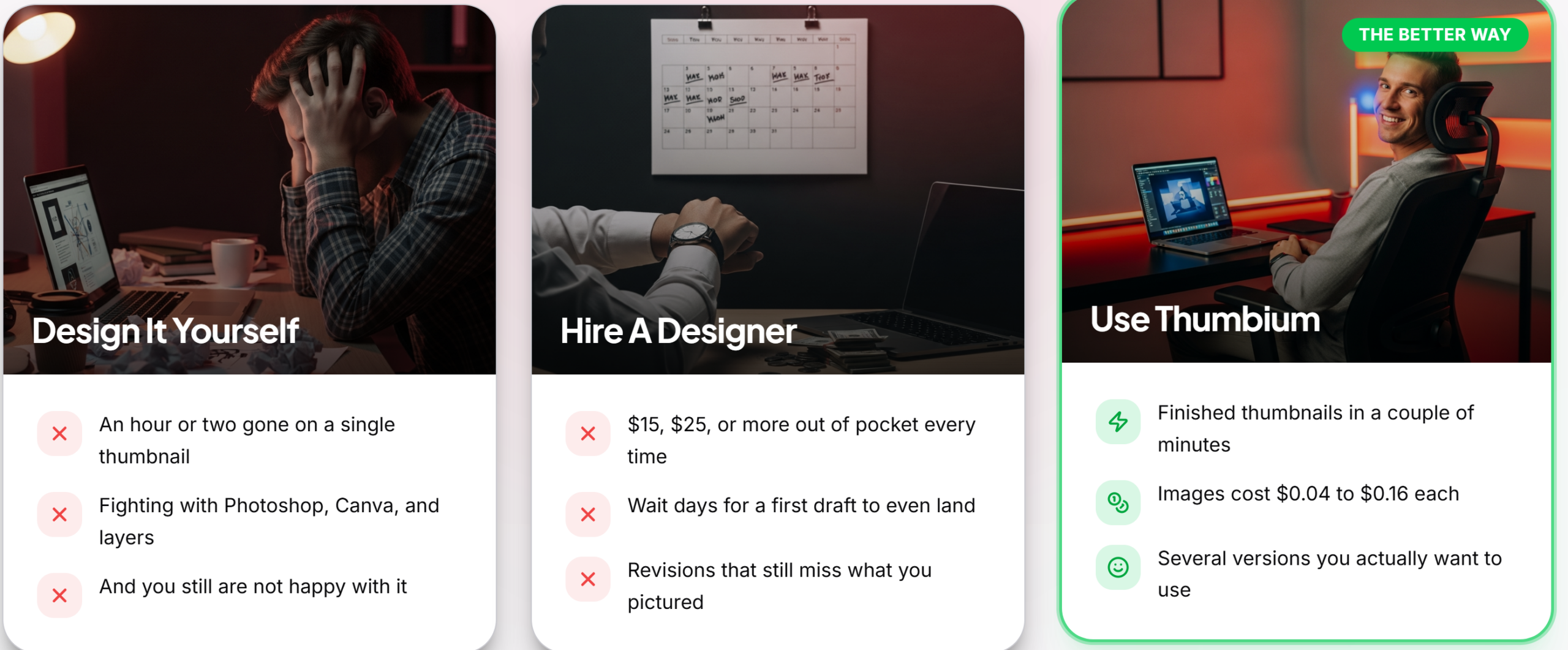
Traditional thumbnail creation often involves:
- Photoshop
- Canva
- Hiring freelancers
- Endless revisions
- Stock photo searches
Thumbium dramatically simplifies the process.
Instead of spending hours designing, users can generate multiple professional-looking thumbnails within minutes.
This makes it especially valuable for creators who publish content regularly.
Affordable AI Thumbnail Generation
Get Thumbium HERE
Pay Only for What You Use
Unlike many AI design platforms that charge expensive monthly subscriptions, Thumbium works differently.
Users purchase the software once and then use their own OpenAI API key for image generation.
This means:
- No monthly software subscription
- Low image generation costs
- Full control over usage
- Transparent pricing
Most generated thumbnails cost only a few cents each through the user’s OpenAI account.
Perfect for Many Types of Creators
Built for Every YouTube Niche
Thumbium works well for:
- YouTubers
- Streamers
- Affiliate marketers
- Podcasters
- Educators
- Coaches
- Review channels
- Business owners
- Agencies
- Digital marketers
Whether creating one video each week or publishing content daily, Thumbium helps speed up thumbnail production.
Beginner-Friendly Yet Powerful
No Design Experience Needed
Thumbium was created for beginners.
Users do not need:
- Photoshop experience
- Graphic design skills
- Illustrator knowledge
- Photo editing expertise
- AI experience
The platform handles the complicated work while allowing creators to focus on producing better content.
Multiple Variations Every Time
Rather than settling for a single design, users can generate multiple options from one prompt and choose the version that best fits their video.
This makes testing different thumbnail ideas much easier.
Why Thumbium Stands Out
More Than a Basic Thumbnail Generator
Thumbium combines several powerful features inside one platform, including:
- AI thumbnail generation
- Text prompt creation
- YouTube and Shorts support
- Background removal
- AI editing
- Reference photo uploads
- Multiple art styles
- Thumbnail variations
- AI-powered image modifications
Get it HERE
This gives creators a complete thumbnail creation workflow without needing additional software.
Final Thoughts on Thumbium
Thumbium offers an impressive solution for creators who want better-looking thumbnails without investing hours learning complicated design software or paying designers for every upload.
By combining AI image generation, prompt-based editing, custom styles, background replacement, and fast thumbnail creation, the platform helps creators produce professional visuals in a fraction of the time.
Whether you create gaming videos, tutorials, podcasts, product reviews, educational content, or business videos, Thumbium provides an easy way to improve your thumbnails and make your content stand out.
Get Started With Thumbium Today
If you want to create thumbnails that attract more clicks, increase views, and help grow your YouTube channel without spending hours designing them yourself, Thumbium is the tool you’ve been waiting for.
Start using Thumbium today and discover how easy it can be to create professional AI-powered thumbnails that grab attention and give every video the best chance to succeed.